What Is QuoteFlow? A Complete Guide to Sales and Quotation Automation
Managing a sales inquiry may look simple at first. A customer sends a requirement, the sales team contacts suppliers, collects prices, prepares a quotation and sends it back to…
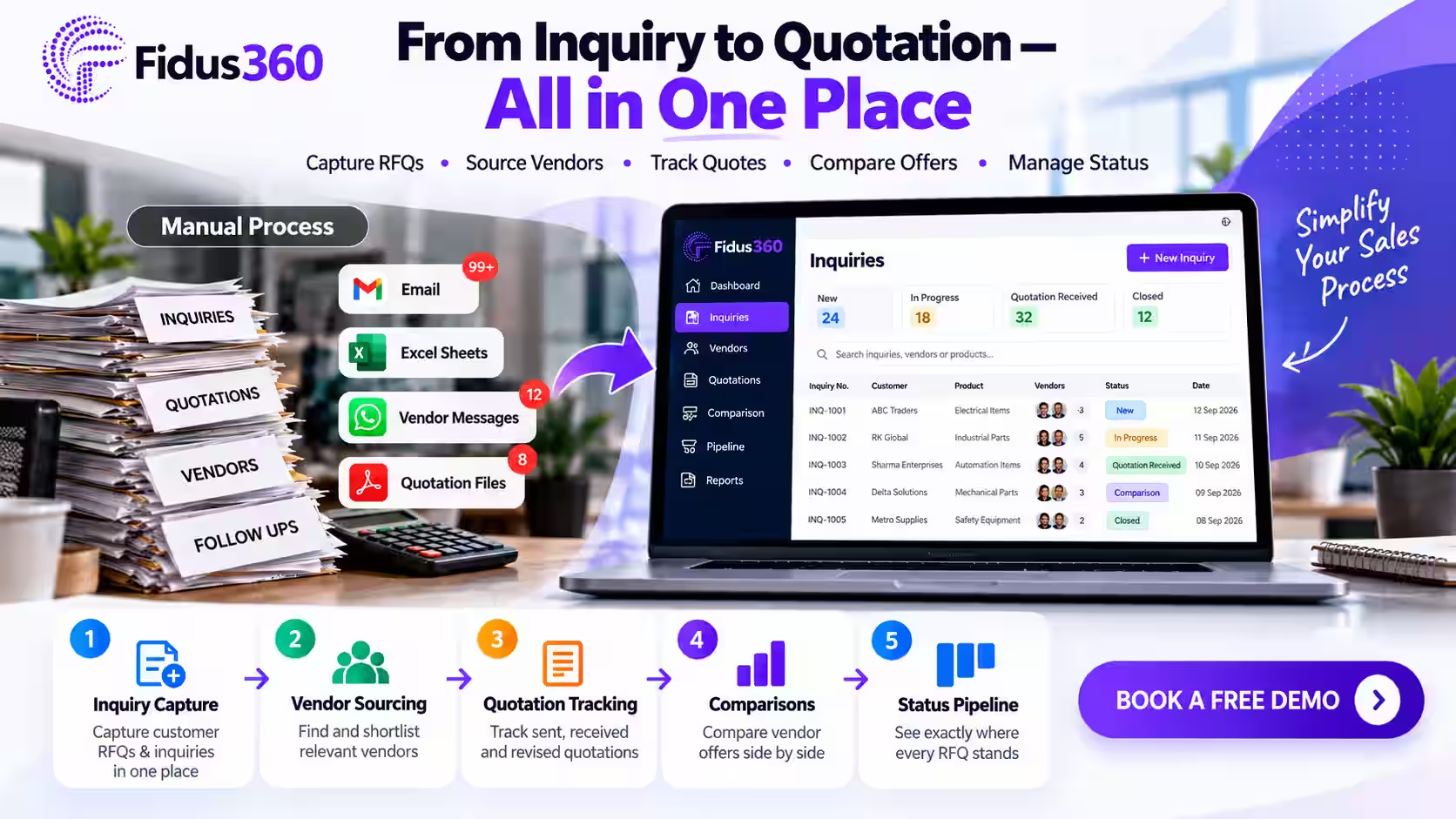
Managing a sales inquiry may look simple at first. A customer sends a requirement, the sales team contacts suppliers, collects prices, prepares a quotation and sends it back to the customer. However, the process becomes difficult when a business handles multiple inquiries, suppliers, products and sales employees at the same time. Important emails can be missed, supplier prices may be stored in different files, follow-ups may be delayed and employees may spend hours preparing quotations manually.
This is where QuoteFlow by Fidus360 can help. QuoteFlow is a SaaS-based sales automation software designed to manage customer inquiries, vendor communication, supplier prices, quotations and purchase orders through one connected workflow. It is especially useful for trading businesses, distributors, suppliers and small or medium-sized enterprises that regularly source products from different vendors.
What Is QuoteFlow?
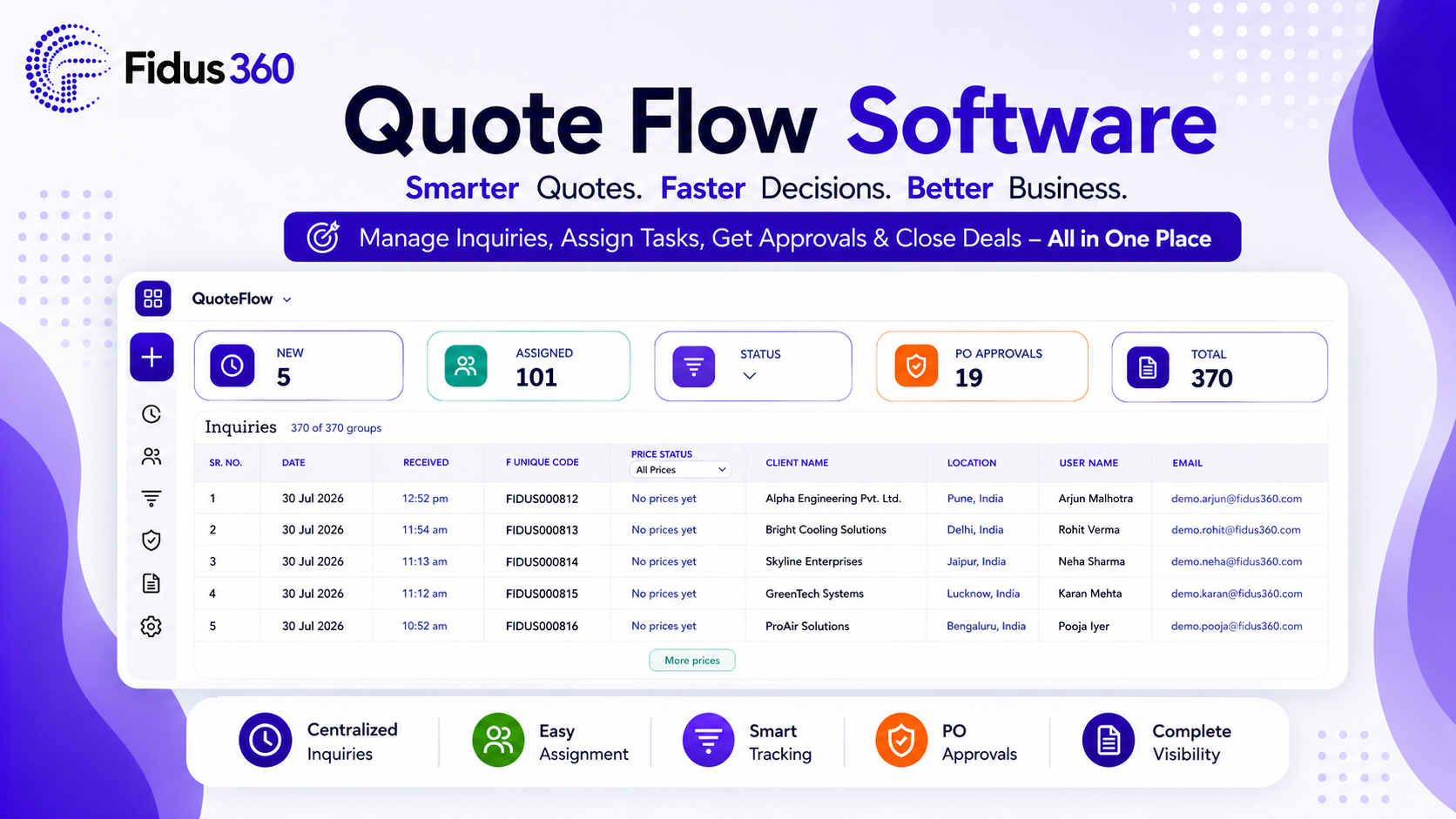
QuoteFlow is an inquiry, vendor and quotation management software that helps businesses organize the complete process from receiving a customer requirement to creating supplier purchase orders. Instead of managing customer inquiries through emails, spreadsheets, notes and separate documents, businesses can maintain their sales activities in one centralized system. QuoteFlow supports activities such as:
- Recording and tracking customer inquiries
- Finding suitable vendors for required products
- Sending requirements to multiple suppliers
- Collecting and comparing vendor prices
- Following up with suppliers
- Preparing customer quotation drafts
- Tracking employee actions
- Creating purchase orders after quotation approval
- Maintaining centralized inquiry and quotation records
The purpose of QuoteFlow is not only to create a quotation document. It is designed to improve the complete sales process automation workflow surrounding that quotation.
Why Manual Quotation Management Becomes Difficult
Many growing businesses initially manage quotations through Excel, email and word-processing software. This may work when the company receives only a few inquiries. As the number of inquiries increases, common problems begin to appear.
Customer inquiries may be missed
An inquiry can arrive through email, phone, WhatsApp or another communication channel. Without a proper inquiry management software, the sales team may forget to respond or may not know who is responsible for the request.
Vendor information becomes scattered
Supplier names, product details, prices and previous responses may be stored in different spreadsheets, email threads or employee devices. This makes vendor selection slower and less reliable.
Supplier follow-ups take time
Sales employees often send reminders manually to every supplier. When multiple vendors are involved, it becomes difficult to remember who has replied and who still needs a follow-up.
Quotations may contain errors
Manual calculations, copied product descriptions, incorrect tax rates and outdated supplier prices can create mistakes in customer quotations.
Management has limited visibility
Business owners may not know how many inquiries are pending, which employee is working on each inquiry or why a quotation has been delayed. A structured automated sales process helps reduce these operational gaps.
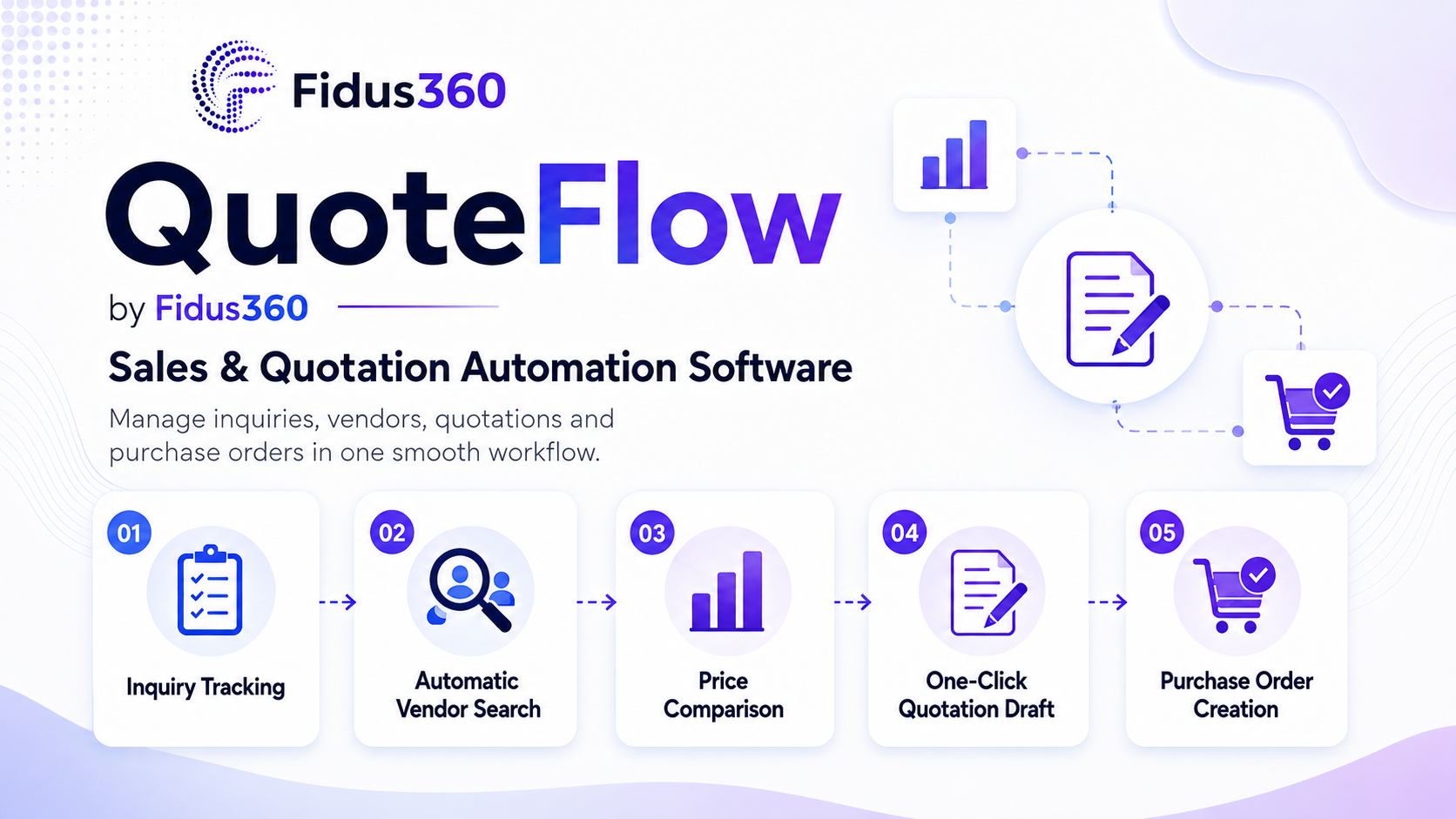
How QuoteFlow Works
QuoteFlow connects different stages of the sales and sourcing process.
1. Record and track the customer inquiry
When a customer sends a product requirement, the inquiry can be recorded inside QuoteFlow. The sales team can view: Customer details Product requirements Required quantities Inquiry date Assigned employee Current inquiry status Related supplier responses This creates a clear starting point for the quotation process.
2. Search for relevant vendors
Finding suitable suppliers is often one of the most time-consuming parts of a trading business. QuoteFlow supports automatic vendor search based on the products mentioned in the inquiry. The sales team can review relevant vendors instead of searching through old files or contact lists manually. Employees can still review and select the most appropriate suppliers before sending the requirement.
3. Send requirements to multiple suppliers
After selecting vendors, the product requirement can be shared with multiple suppliers. This helps the business collect competitive prices and check product availability without creating separate messages manually for each vendor. All related vendor communication remains connected to the inquiry.
4. Collect and compare supplier prices
As vendors respond, their prices can be recorded against the relevant products. The supplier price comparison process helps the sales team evaluate: Unit price Product availability Delivery period Tax information Vendor terms Previous supplier performance The lowest price may not always be the best option. Delivery reliability, product quality, payment terms and after-sales support should also be considered. QuoteFlow provides organized information so the final supplier decision can be made more carefully.
5. Follow up with suppliers
Delayed supplier replies can slow down quotation preparation. QuoteFlow supports automated supplier follow-ups for vendors who have not yet responded. This reduces repetitive work while keeping the sourcing process active. Automation should still be used thoughtfully. Businesses should define reasonable reminder intervals and avoid sending unnecessary messages to vendors who have already replied.
6. Prepare a one-click quotation draft
Once suitable vendor prices are available, QuoteFlow can help generate a one-click customer quotation draft. The sales employee can review: Product descriptions Quantities Selling prices Profit margins Taxes Currency Delivery details Terms and conditions The draft should always be reviewed before it is sent to the customer. Automation improves speed, but human verification remains important for pricing, commercial terms and customer-specific requirements.
7. Create purchase orders
After the customer approves the quotation, the selected products can be converted into purchase orders for the chosen vendors. When products are being purchased from different suppliers, separate purchase orders can be created for each vendor. This creates a connected workflow from customer inquiry to vendor procurement.
Practical Example of QuoteFlow in a Trading Business
Consider a distributor that receives an inquiry for 25 industrial motors. Without quotation automation, the sales employee may need to:
- Search old spreadsheets for motor suppliers.
- Send separate emails to multiple vendors.
- Track replies manually.
- Copy prices into another spreadsheet.
- Calculate margins and taxes.
- Prepare the customer quotation.
- Send repeated reminders to suppliers.
- Create purchase orders after customer approval.
Information may be spread across emails, files and personal notes. With QuoteFlow, the inquiry can be recorded in one system. Relevant vendors can be identified, requirements can be shared, responses can be compared and the quotation draft can be created from the collected information.
The employee still controls the final price and supplier selection, but the administrative work becomes more organized.
QuoteFlow Is More Than Basic Quotation Software
Traditional Quotation Software may only help users create a formatted quotation document. QuoteFlow is intended to support the broader quotation lifecycle, including customer inquiries, supplier discovery, vendor responses, price comparison, follow-ups and purchase orders. This makes it different from a basic quotation generator. A standard tool may answer the question, “How can I create a quotation?” QuoteFlow is designed to answer broader questions such as:
- Which customer inquiry is this quotation connected to?
- Which suppliers were contacted?
- Which vendors responded?
- What prices were received?
- Who prepared or modified the quotation?
- Which supplier was selected?
- Was a purchase order created?
This broader approach provides stronger quotation management and sales visibility.
Employee Activity and Process Visibility
When several employees work on different inquiries, management visibility becomes important. QuoteFlow can maintain employee activity records related to inquiries, vendors and quotations. This can help managers understand:
- Who is handling an inquiry
- When a supplier was contacted
- Whether a follow-up was sent
- When vendor prices were received
- Who created or updated the quotation
- Whether the inquiry is still pending
The objective should not be excessive employee monitoring. Activity tracking is most useful when it improves accountability, supports teamwork and prevents inquiries from being overlooked.
Centralized Business Records
One of the main advantages of SaaS quotation software is centralized access to business information. QuoteFlow can maintain records of:
- Customers
- Inquiries
- Vendors
- Supplier prices
- Quotations
- Communication history
- Employee actions
- Purchase orders
Centralized records make it easier to review previous transactions and understand how earlier quotations were prepared. For example, when a similar inquiry arrives after several months, the sales team can review past supplier prices and vendor responses. Current prices should still be confirmed, but previous information provides a useful reference.
QuoteFlow Compared with CRM Sales Automation Software
A CRM sales automation software usually focuses on leads, customer communication, sales opportunities and follow-up activities. QuoteFlow focuses more deeply on the operational process of sourcing vendor prices and preparing customer quotations. A CRM may show that a customer opportunity is in the quotation stage. QuoteFlow helps manage the work required to produce that quotation, including:
- Product requirements
- Vendor selection
- Supplier communication
- Price collection
- Price comparison
- Quotation preparation
- Purchase order creation
Businesses may use QuoteFlow independently or alongside a CRM, depending on their workflow.
Free Quotation Software vs SaaS Quotation Software
People often search for quotation software free when they want to create basic quotations without an initial investment. A free quotation tool can be useful for freelancers or very small businesses that create only a few quotations. However, it may have limitations in vendor management, inquiry tracking, employee access, supplier follow-ups and centralized records. When comparing free and paid tools, businesses should evaluate:
- Number of employees
- Monthly inquiry volume
- Vendor management requirements
- Access control
- Data security
- Custom quotation formats
- Supplier price comparison
- Purchase order workflow
- Support and maintenance
The best quotation software is not necessarily the tool with the most features. It is the one that matches the company’s actual sales and sourcing process.
Is QuoteFlow an Invoice Quotation Software?
QuoteFlow mainly focuses on inquiry, vendor and quotation automation. Some businesses search for invoice quotation software or quote and invoice software because they want quotations and invoicing in a single system. These businesses should confirm whether the software supports their complete accounting and invoicing requirements.
Quotation and invoicing are related but different processes. A quotation is a proposed price offered before the sale is confirmed. An invoice is issued after goods or services are supplied or according to agreed billing terms. QuoteFlow can support the sales and procurement stages, while invoicing and accounting may require integration with the appropriate accounting system or another Fidus360 application.
Benefits of Using QuoteFlow
A well-implemented quotation automation system can provide several practical benefits:
- Faster response to customer inquiries
- Better visibility of pending quotations
- Organized vendor communication
- Easier supplier price comparison
- Fewer repetitive follow-up tasks
- More consistent quotation preparation
- Improved employee accountability
- Centralized historical records
- Smoother purchase order creation
- Better coordination between sales and purchase teams
The actual results depend on data quality, employee adoption, vendor response time and how well the software is configured for the business.
Best Practices Before Implementing QuoteFlow
Before moving to an automated system, businesses should review their current process. Clean the vendor database : Remove duplicate or outdated vendor information and organize suppliers by product category.
Define inquiry stages : Create clear statuses such as new, vendor search, prices awaited, quotation prepared, sent, approved and closed.
Standardize quotation rules : Define tax calculations, profit margin approvals, payment terms and quotation validity periods.
Assign responsibilities : Employees should understand who handles inquiries, supplier communication, price approval and final quotation review.
Review every quotation : Even when using a one-click draft, the final quotation should be checked before sending it to the customer.
Frequently Asked Questions
1. What is QuoteFlow?
QuoteFlow by Fidus360 is a SaaS-based inquiry, vendor and quotation automation solution for trading businesses, distributors, suppliers and SMEs.
2. Does QuoteFlow only create quotations?
No. It also supports inquiry tracking, automatic vendor search, supplier communication, price comparison, follow-ups, employee activity tracking and purchase order creation.
3. Can QuoteFlow replace Excel?
QuoteFlow can reduce dependence on spreadsheets by centralizing inquiry and quotation information. Some businesses may still use Excel for special analysis or reporting.
4. Is QuoteFlow suitable for small businesses?
It can be useful for small businesses that regularly handle multiple customer inquiries and supplier quotations. Businesses should evaluate their inquiry volume, team size and workflow before adopting any software.
5. Can QuoteFlow automatically select the cheapest vendor?
QuoteFlow can help compare supplier prices, but the final vendor decision should also consider quality, delivery, payment terms, availability and reliability.
Related apps