10 Benefits of Using DPR Software for Teams, Projects & Operations
Every business needs a clear picture of what happened during the day. Whether employees are working at a project site, factory, office, customer location, warehouse, or multiple…
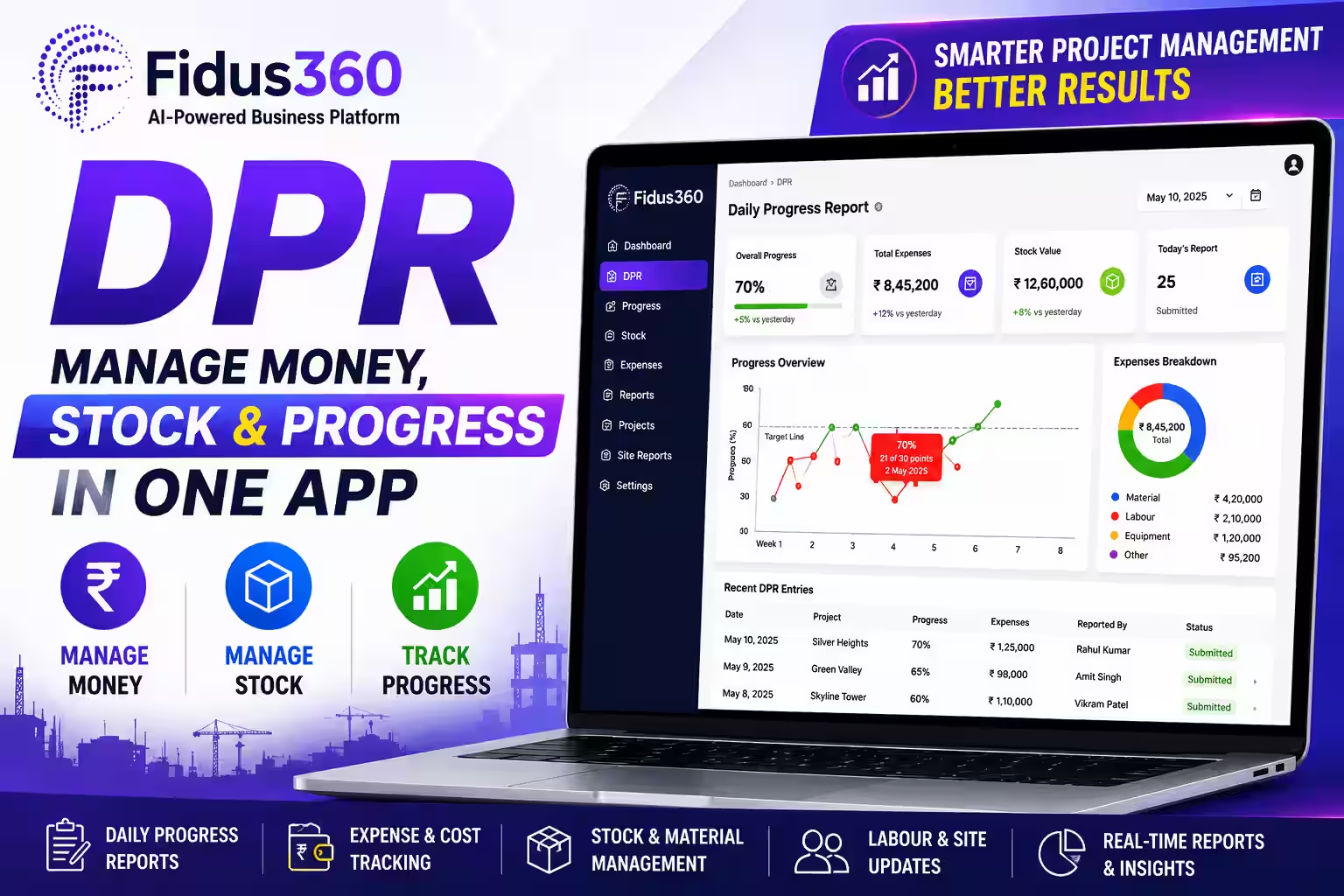
Every business needs a clear picture of what happened during the day. Whether employees are working at a project site, factory, office, customer location, warehouse, or multiple branches, regular updates help managers understand progress and respond to problems quickly.
The challenge is that daily information is often scattered across WhatsApp messages, Excel files, emails, phone calls, and paper records. As the number of employees and projects increases, collecting and organizing these updates becomes increasingly difficult.
A digital reporting system can simplify this process. DPR software gives businesses a structured way to capture daily activities, progress, issues, resources, photographs, and important updates in one place. Instead of spending time collecting information from different sources, teams can follow a consistent reporting process. Here are ten ways a digital DPR system can improve teams, projects, and everyday operations.
1. Get a Clear View of Daily Activities
Managers need timely information to understand how work is progressing. A structured daily report can provide a quick view of completed activities, ongoing work, pending tasks, and issues that need attention.
This is particularly useful for businesses with multiple teams or locations. Instead of waiting for separate calls or messages, managers can review information through a centralized system. Better visibility also makes it easier to identify situations that require immediate action.
2. Reduce Dependence on WhatsApp and Spreadsheets
WhatsApp is useful for communication, but important business information can easily get buried among conversations, photographs, documents, and unrelated messages. Spreadsheets can create another challenge when different employees maintain different versions of the same report.
A digital reporting process gives teams a dedicated place to submit their daily updates. This creates a simple flow: Work → Update → Review → Track Information stays connected to the relevant project, activity, team, or operation instead of being lost across multiple communication channels.
3. Save Time on Manual Reporting
Preparing daily reports manually can take more time than expected. Employees may need to copy information into spreadsheets, format documents, attach photographs, send emails, and follow up on missing details.
A digital system can simplify these repetitive steps by providing a predefined reporting process. The goal isn't simply to create reports faster. It is to make reporting a natural part of daily work without creating unnecessary administrative effort.
4. Maintain a Reliable History of Work
Daily updates become more valuable when they are stored consistently. Instead of looking at individual messages or files, teams can maintain a chronological record of activities and progress.
This historical information can help answer questions such as:
What work was completed on a particular date?
When did a problem first occur?
Which activities were delayed?
What resources were used?
What actions were planned next?
For project-based businesses, maintaining this history can improve documentation and make future reviews easier.
5. Improve Team Accountability
Clear reporting helps everyone understand what has been completed and what remains pending. When employees regularly submit updates, managers have better visibility into responsibilities and progress.
This does not have to mean micromanagement. Instead, a consistent reporting process creates a shared understanding between employees, supervisors, project managers, and business leaders. Teams can see what needs to be completed, while managers can focus their attention on areas that actually require support.
6. Make Better Decisions With Timely Information
Business decisions are only as useful as the information behind them. If managers receive important updates several days late, they may not be able to respond effectively.
Regular reporting provides a more current view of operations. Over time, collected reports can also reveal patterns such as recurring delays, resource shortages, workload problems, operational bottlenecks, or frequently occurring issues. This turns daily reporting from simple documentation into a useful source of management information.
7. Connect Field and Office Teams
Many organizations have employees working away from the main office. Construction teams may work across several sites. Service technicians may visit customers. Sales teams may travel between locations. Maintenance teams may work across facilities. In these situations, managers cannot always be physically present.
Digital reporting gives field employees a structured way to communicate what they completed and what they encountered during the day. Managers receive better visibility without having to depend entirely on repeated phone calls and messages.
8. Make Construction Reporting More Organized
Construction is a strong use case for digital daily reporting. A daily progress report for construction site activities may include completed work, manpower, materials, equipment, photographs, delays, observations, and upcoming activities. Traditionally, this information may be maintained through spreadsheets, paper forms, photographs, and messaging applications.
A digital system can bring these updates into a more organized workflow, making it easier for project managers to review progress and maintain a day-by-day record. However, the benefits are not limited to construction. The same reporting approach can support manufacturing, engineering, maintenance, logistics, IT, field services, trading, facility management, and many other industries.
9. Move Beyond a Static Reporting Template
A daily progress report template can be useful for standardizing the information employees need to provide. A basic template might include:
Date
Team or employee
Activity
Work completed
Progress
Issues
Resources
Photographs
Next steps
Templates are a good starting point, but they still depend heavily on manual processes. As teams grow, managing hundreds of files and keeping everyone on the same format can become difficult. Digital reporting provides a more connected approach where information can be submitted, reviewed, organized, and tracked through one system.
10. Build a Reporting Process That Can Scale
A reporting method that works for a small team may become difficult when the organization grows. Five employees might easily share updates through spreadsheets. Fifty or five hundred employees create a very different challenge.
More employees mean more reports.
More projects mean more information.
More locations mean more coordination.
DPR software can provide a standardized foundation for managing daily updates as the organization expands. Businesses can maintain a consistent reporting approach while adapting the information to different teams, departments, projects, or industries.
Who Can Use Digital DPR?
Daily reporting is useful wherever managers need regular visibility into work.
Construction & Infrastructure
Track site activities, resources, photographs, progress, and project issues.
Manufacturing
Record production activities, machine status, maintenance work, and operational problems.
Engineering
Document installations, inspections, commissioning, technical activities, and field work.
Field Services
Record customer visits, completed services, technician activities, and follow-up requirements.
IT & Software
Track project activities, development work, implementation tasks, support issues, and milestones.
Logistics
Monitor deliveries, warehouse operations, transportation activities, and daily issues.
Trading & Distribution
Record customer visits, sales activities, order-related work, and field operations.
Facility & Maintenance
Track inspections, repairs, service requests, and routine maintenance activities. The common requirement across these businesses is simple: Managers need to know what happened today.
Why Choose a Digital Daily Reporting System?
The value of digital reporting goes beyond replacing an Excel file. It creates a consistent process for collecting information and turning daily updates into something management can use. With the right system, businesses can improve:
Visibility — Understand daily work more clearly.
Communication — Keep teams and managers connected.
Accountability — Maintain a record of activities and responsibilities.
Documentation — Build an organized history of work.
Efficiency — Reduce repetitive manual reporting tasks.
Decision-making — Use timely information to identify issues and take action.
Frequently Asked Questions
1. Is DPR software only for construction companies?
No. Construction is one important use case, but digital daily reporting can be useful for manufacturing, engineering, IT, field services, logistics, maintenance, trading, facility management, and other businesses. The reporting fields can be adapted to the organization's workflow.
2. What is the difference between DPR software and an Excel report?
Excel can provide a useful format for collecting information, especially for smaller teams. A digital system provides a broader workflow for submitting, organizing, reviewing, and tracking daily updates, which can become more useful as teams, projects, and locations grow.
3. What should a daily progress report include?
The information depends on the industry. Common details include the date, activities completed, progress, team information, resources, issues, photographs, pending work, and next steps. Construction teams may also include manpower, materials, equipment, and site conditions.
4. Can field employees submit reports from different locations?
Yes. Digital reporting is particularly useful for distributed teams. Employees working at different sites or customer locations can submit their updates, while managers can review the information centrally.
5. How can Fidus360 DPR help my business?
Fidus360 DPR helps organizations bring daily activities, progress updates, issues, photographs, and other relevant information into a structured reporting workflow. It can be used across different industries and adapted to different operational requirements.
Related apps